



Creality Falcon Laser Engravers: A Smart Shopper’s Guide to Getting the Most Value
Buying a laser engraver is a big step. You want something that fits your projects, your space and your budget, and you do not want to feel buyer’s remorse a week later. The good news is that a little research goes a long way.
This guide walks you through the Creality Falcon range in plain language. We cover who each machine suits, which accessories are worth having, and practical ways to shop smarter so you get real value for your money.
Who Is Creality Falcon?
Creality is already a well-known name among 3D printing fans. Creality Falcon is its laser engraving and cutting line, built for hobbyists, crafters and small business owners. The official store sells the machines along with accessories, materials, free design software and learning resources, so you can get everything you need in one place.
That last part matters more than it sounds. Many beginners buy a machine and then discover they also need a work surface, ventilation, safety eyewear and test materials. Having it all in one shop makes planning easier.
Meet the Falcon Family

The range can look confusing at first, so here is a simple way to think about it. Machines are grouped by how much power, speed and flexibility they offer.
Falcon A1C: Simple and Beginner Friendly
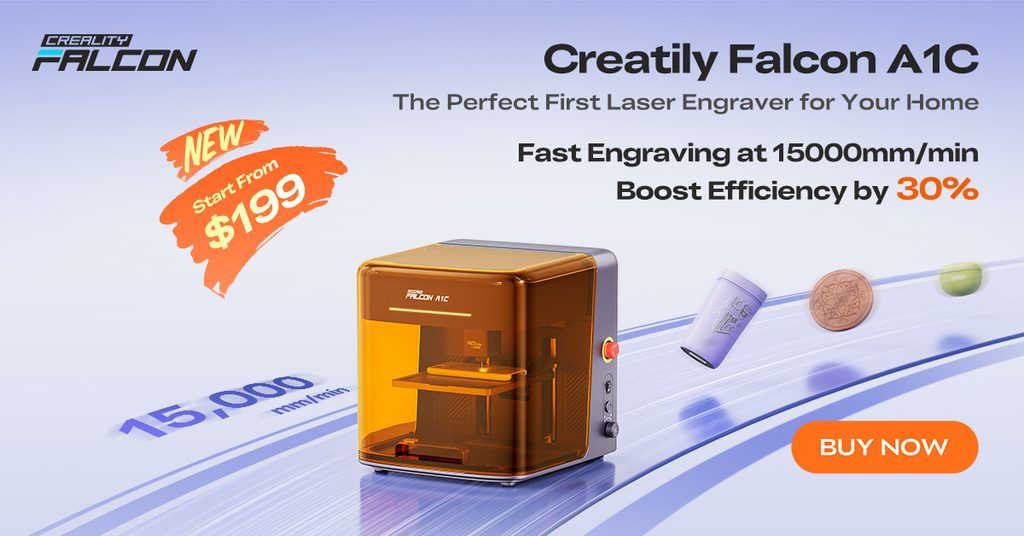
The A1C is the easiest way into laser engraving. It is compact, fully enclosed and designed for desks at home. You can choose a version with an AI camera, which helps recognise your material and place your design more accurately. If you are new to lasers and want to learn the basics without a big commitment, start here.
Falcon A1 and Falcon A1 Pro: Smart and Speedy
The A1 arrives pre-assembled, so you can unpack it and start quickly. It has a built-in camera, a fast motion system and a safe enclosure that stops when the lid opens. The A1 Pro goes a step further. It offers more laser power, a touchscreen, automatic focus and extra safety checks such as flame detection. It also supports an optional infrared module for finer work on metals and some plastics, which is sold separately.
Falcon2 Pro: Built for Cutting
If you plan to cut thicker wood or acrylic, the Falcon2 Pro range is the one to study. It comes in a few power levels, so you can choose how much cutting strength you need. It has a larger work area, a wide camera for positioning and monitoring systems that watch airflow, the lens and fire risk. Makers who sell products often prefer it because batch jobs run smoothly.
Falcon T1: The Professional Option
The Falcon T1 is a modular machine that lets you swap laser modules, including options for diode, fiber, UV and MOPA work. There is also a dual laser model aimed at people who need to move between jobs quickly. These machines are meant for professionals who mark metal or want industrial-style results. Most beginners will not need them.
How to Choose the Right Machine
Before you compare models, ask yourself a few honest questions.
- What will I make most often? Wooden signs, leather patches, acrylic keychains and metal tags all need slightly different capabilities.
- How thick are my materials? Thicker materials need more cutting power.
- How much space do I have? A compact enclosed machine suits a spare desk. A larger one needs a proper workspace.
- Do I plan to sell my work? If yes, speed, repeatability and batch features become more important.
- How comfortable am I with new tech? Camera guidance and auto focus can save beginners a lot of frustration.
A useful rule is to buy for the materials you cut regularly, not the one big project you might do someday. Also remember that diode lasers work best on wood, dark acrylic, leather and card. Clear acrylic and glass are harder for them, so match the machine to your plans.
Accessories Worth Considering
The machine is only part of the setup. These add-ons make everyday work cleaner and safer.
- Honeycomb workbench: Keeps material flat and lets smoke and air move underneath, which helps with cleaner cuts.
- Rotary kit: Lets you engrave round items such as tumblers and mugs.
- Air purifier or exhaust fan: Helps manage smoke and smell, especially in small rooms.
- Laser safety glasses: Important any time the lid is open or you use a module without an enclosure.
- Risers: Give you extra height for thicker or taller items.
If you are choosing only one extra at the start, make it the honeycomb workbench. It improves almost every job.
Materials and Software
The store sells materials that are tested with the machines, including plywood, acrylic, metal blanks, stone coasters, crystal and stainless steel tumblers. Mixed starter packs are a smart choice because they let you test settings across several surfaces before you buy in bulk.
On the software side, Falcon Design Space is available as a free download. It lets you create or import designs, choose a material and send the job to your machine. Many users also report that the machines work with other popular programs such as LightBurn. The store also has a wiki, an academy with tutorials and a section of ready-made design files, which is great when you do not want to draw everything yourself.
Smart Ways to Save When You Shop
This is where a coupon-minded shopper can shine. A few habits can lower what you pay without cutting corners.
- Watch for seasonal sales. The store runs events around big shopping periods, and the banner at the top of the page shows what is active.
- Join the newsletter. New subscribers are offered a welcome discount on a first order. Check the store for the current code and test it at checkout, since terms can change.
- Look at bundles. Bundles that combine a machine with a workbench or material pack often work out better than buying each piece alone.
- Consider a material discount card. If you will buy materials often, a discount card can lower the cost over time.
- Compare what is included. Two listings can look similar but include different modules or accessories. Read the description before you add to cart.
- Buy only what you need now. You can always add accessories later when your projects demand them.
Safety Basics Every Buyer Should Know
Enclosed Falcon machines filter laser light and pause when the lid opens, but good habits still matter. Keep the room ventilated. Never leave a running job unattended. Keep a fire extinguisher close, because wood and paper can ignite. And never cut PVC or vinyl, because it releases harmful fumes. When you are unsure about a material, check before you start.
Quick FAQ
Is a Creality Falcon good for beginners? Yes. The A1C and A1 models are enclosed, easy to set up and designed for home use.
Can I use it for a small business? Many makers do. Personalised gifts, wooden decor and engraved tags are popular products, and the higher-power models handle batch work well.
Do I need to buy the software? No. Falcon Design Space is free.
Does the store offer support? The store highlights support and a warranty guarantee, and it publishes its shipping, refund and warranty policies on the site.
How can I find the latest discounts? Check the banners on the store homepage, subscribe to the newsletter and look at the sale labels on product pages.
Final Thoughts
The best laser engraver is the one that matches your projects, not the one with the longest feature list. Start by deciding what you want to make, choose the machine that fits, add the few accessories you truly need, and shop smart for the best value.
Ready to explore? Visit the official Creality Falcon store, compare the models side by side and check the current offers before you order.